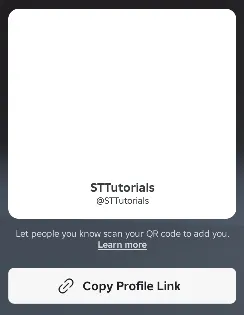
If you can’t add someone as a trusted friend on Roblox, then you may not meet the requirements. To make someone a trusted friend you both need to have verified your age. This can be done by doing the Roblox age check, or by verifying with ID. Once done your age group will be set and it will say checked or verified next to it. Additionally, you will both need to be in an age group that is 13 or older.
Scan the QR Code Live
Unfortunately, you can’t scan a screenshot or recording of the QR code to add someone as a trusted friend. Instead, you need to scan the QR code directly from the Roblox app live. This ensures that you are in the same location and actually know the person in real life.

Change Who is Scanning the QR Code
In some instances changing the person that is scanning the QR code can fix the issue. Instead of scanning your friend’s QR code you can have them scan yours, or vice versa. This allows you to eliminate some issues and ensure the process is being done correctly.
Disconnect From VPN
If you’re connected to a VPN then you will need to disconnect from it. This is because you must be in the same location as someone to add them as a trusted connection. To ensure this isn’t the issue you will need to close Roblox, then disconnect from the VPN, and reopen Roblox once again. You can then try scanning the QR code again.
Unfriend the Person
Although you don’t need to unfriend someone to upgrade them to a trusted friend, you can try it. This will ensure that the friend request is completely fresh. Once you have unfriended the person you can try adding them back using their QR code. Alternatively, if you still don’t have the option to add them as a trusted connection, then you can add them back as a friend. You can unfriend someone by going to their profile then click on the three dots and select unfriend.

Use Your Mobile
If all else fails you can try using the mobile version of Roblox instead. When adding someone as a trusted connection on mobile you can either scan the QR code, or use your contacts to add the person. This method allows you to add anyone from your contacts as a trusted friend. However, it requires you to have their phone number saved on your phone.